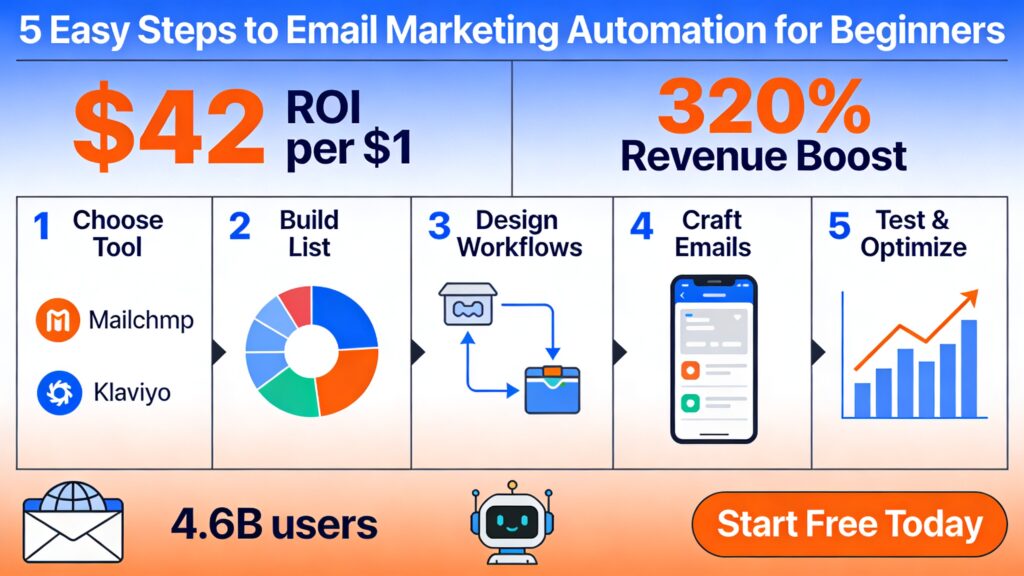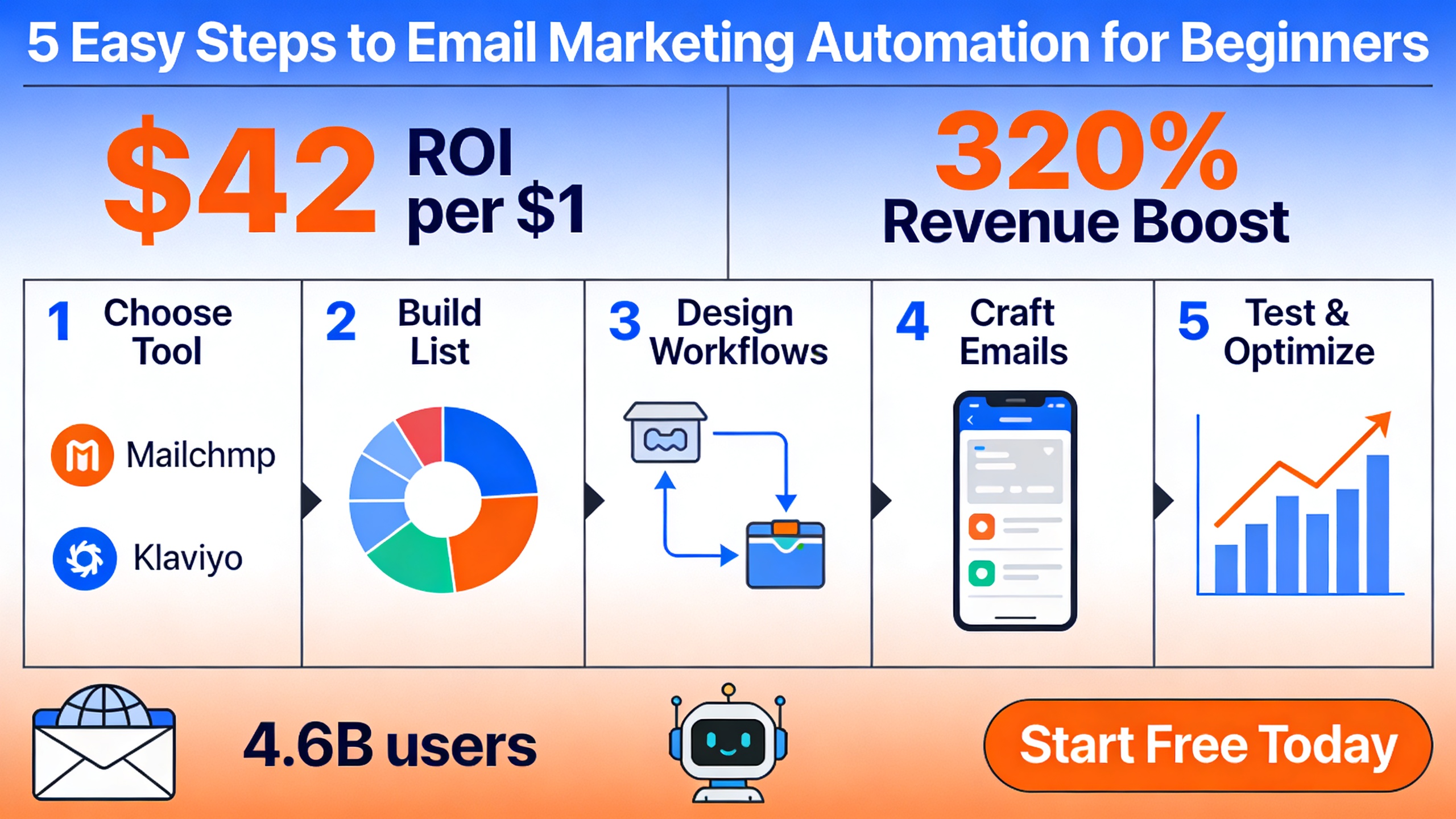
Imagine sending personalized emails to thousands of customers at the perfect moment—without lifting a finger. That’s the power of email marketing automation, a game-changer for beginners looking to scale their outreach effortlessly. In a world where 4.6 billion email users are projected by 2025 and daily volumes hit 376.4 billion emails, automating your campaigns isn’t just smart—it’s essential for staying competitive. This 5-step guide will walk you through everything from setup to optimization, backed by proven stats showing up to $42 ROI per $1 spent.
What Is Email Marketing Automation?
Email marketing automation is a software-driven process that sends targeted emails based on user behaviors, such as sign-ups, purchases, or cart abandons. Unlike manual campaigns, it triggers messages at optimal times, nurturing leads and boosting conversions without constant oversight.
Why Beginners Should Start Now
For newcomers, email marketing automation levels the playing field. With the market growing from $6.65 billion in 2024 to $15 billion by 2030 at a 12.8% CAGR, early adopters gain a massive edge. Global stats underscore the opportunity: 376.4 billion daily emails in 2025, surging to over 700 billion by 2027. Automated emails, though just 2% of volume, deliver 320% more revenue, with open rates jumping from 25.2% to 42.1%.
Key Components of Email Automation
Core elements include triggers (e.g., user actions), workflows (sequences of emails), segmentation (audience targeting), and analytics (performance tracking). AI plays a starring role—63% of marketers use it, achieving a 41% revenue lift. As one expert notes, “AI has reached mainstream adoption. It enables personalized, timely communication at scale that would be impossible manually” (Saleshandy).
Email Marketing Automation Stats & ROI Proof
Diving deeper into the numbers reveals why email marketing automation dominates. It boasts $36–$42 ROI per $1 invested, far outpacing other channels. Top-performing workflows generate $16.96 revenue per recipient versus $1.94 for averages.
Top Performance Metrics
| Metric | Statistic | Year/Source |
|---|---|---|
| Open Rate | 43.46% average | 2025[1] |
| Click-to-Open Rate | 6.81% | 2025[1] |
| Mobile Opens | 41.6% of emails | Recent[1] |
| Revenue Lift from Automation | 34% average | Recent[4] |
Automated emails drive 41% of orders and a 34% revenue lift. Adoption is widespread: 71% of marketers automate emails, with 79% focusing on customer journeys.
Real-World Revenue Impact
“Automated workflows like abandoned cart or post-purchase messages generate up to 30x more revenue per recipient than campaigns because they are timely and targeted” (Email Vendor Selection). With 43.46% open rates and 6.81% CTOR, plus mobile opens at 41.6%, the proof is undeniable. AI copy boosts further, with 49% of marketers using generative AI.
Transitioning from proof to practice, let’s build your automation foundation.
Step 1: Choose the Best Email Automation Tool
Selecting the right tool is crucial for seamless email marketing automation. Prioritize ease of use, pricing, integrations, and AI features.
Top Beginner-Friendly Tools Comparison
- Mailchimp: Free tier, drag-and-drop editor; perfect for starters with unlimited sends on basics.
- Klaviyo: E-commerce powerhouse with AI segmentation; ideal for Shopify users, excelling in B2C CRM.
- Drip: Behavioral workflows shine for drip campaigns; advanced personalization for mid-sized businesses.
- Others: ActiveCampaign for complex automations; ConvertKit for creators. 2025 top picks based on tests favor Klaviyo for ROI.
Pro tip: Start with free trials and match to your business size—e.g., Mailchimp for solopreneurs, Klaviyo for e-com stores.
Step 2: Build and Segment Your Email List
A quality list is the heartbeat of effective email marketing automation. Focus on compliant, engaged subscribers.
Audience Setup Best Practices
Import contacts and use opt-ins via popups or lead magnets. Integrate with Shopify or WordPress for auto-sync. Segment by behavior or demographics—boosting opens by 14% and revenue by 760% in campaigns.
Compliance: GDPR & CAN-SPAM
Employ double opt-in and clean lists regularly to avoid spam traps. Prioritize consent for privacy-driven personalization.
With your list ready, it’s time to map journeys.
Step 3: Design Your First Automation Workflows
Workflows turn triggers into revenue machines. Popular ones include abandoned carts and welcome series.
Popular Triggers: Abandoned Cart, Welcome Series
- Sign-up: Welcome series with 300% higher opens.
- Purchase: Post-purchase upsell.
- Browse abandon: Recovery flows.
Mapping Customer Journeys
76% of marketers prioritize journeys, though only 10% fully automate. Use no-code drag-and-drop builders and AI for dynamic content. “Revenue growth is the clearest measure… companies using automation see revenues climb by more than a third” (Emarsys).
Step 4: Craft High-Converting Emails
Content is king—design for impact.
Subject Lines & Copywriting Tips
Aim for 40-50 character subjects; 49% use generative AI for copy, with 95% calling it effective (HubSpot). Templates leverage storytelling, urgency, and value-first approaches. Target 42% opens and 5.4% clicks.
Design for Mobile & AI Assistance
Mobile-first responsive designs cater to 41.6% opens. Include clear, personalized CTAs. “60% of marketers report higher engagement and 58% higher loyalty after adopting AI” (SAP Emarsys).
Launch smart by testing rigorously.
Step 5: Launch, Test, and Optimize
A/B Testing Essentials
Test subjects, send times, and variants. Track opens, clicks, and revenue with UTM tags.
Analytics & Scaling Tips
63% use AI insights to optimize. Avoid pitfalls like over-automation. Scale to multi-channel: SMS sees 50% adoption. Common issues? Ignoring feedback—fix with data-driven tweaks.
Common Email Automation Mistakes to Avoid
- Mistake 1: No segmentation – Tanks engagement; personalized emails see 29% higher opens.
- Mistake 2: Ignoring personalization – Leverage behavior data.
- Mistake 3: Poor timing – Test peak hours.
- Overloading lists – Focus on quality.
Steer clear to maximize gains.
Advanced Tips: AI and Multi-Channel Automation
Integrating SMS & Ads
87% use AI for campaigns; combine with social (50% adoption) and ads (40%) for unified journeys. Predictive sending and hyper-personalization rule.
Future-Proofing with 2026 Trends
Expect zero-party data and 90% AI-supported operations (Litmus). 64% view AI as essential, slashing creation time by over half. Privacy-focused behavioral data will dominate.
Conclusion: Start Your Automation Journey Today
Mastering email marketing automation boils down to these 5 steps: choose a tool, build/segment your list, design workflows, craft emails, and optimize relentlessly—for up to $42 ROI per dollar. Don’t wait; pick a tool like Mailchimp’s free tier and start building your list today. With stats proving 30x revenue from top workflows and AI driving 41% lifts, your business is primed for growth. Dive in now and transform your email game.
Frequently Asked Questions
Q: What is the best email marketing automation software for beginners?
Mailchimp is widely considered the best email marketing automation software for beginners due to its intuitive drag-and-drop interface, free plan for up to 500 contacts, and pre-built automation templates that require no coding.
It offers guided setup wizards and extensive tutorials, making it easy to launch your first campaigns quickly.
Alternatives like ActiveCampaign provide more advanced features but have a steeper learning curve, so Mailchimp is ideal for starting out.
Q: How much ROI can I expect from email automation?
Email automation typically yields an average ROI of $36 to $42 for every $1 spent, based on benchmarks from sources like Litmus and the Data & Marketing Association (DMA).
Results vary by industry, list quality, and engagement rates, with e-commerce often seeing higher returns from workflows like abandoned cart recovery.
Optimizing personalization and segmentation can push ROI even higher, sometimes exceeding $50 per dollar invested.
Q: Is email marketing automation worth it for small businesses?
Yes, email marketing automation is highly worth it for small businesses, offering scalable personalization and high ROI at low costs—many platforms like Mailchimp start free.
It saves time on repetitive tasks like welcome emails or re-engagement, allowing focus on growth, with small businesses often reporting 20-30% revenue increases.
The low barrier to entry and measurable results make it essential for competing with larger competitors.
Q: What are common email automation workflows?
Common workflows include welcome series for new subscribers to build relationships, abandoned cart reminders to recover lost sales, and re-engagement campaigns for inactive users.
Other popular ones are lead nurturing sequences, post-purchase upsells, and birthday or anniversary emails to boost loyalty.
These can increase open rates by 50% and conversions by 20-30% when properly segmented and timed.
Q: How do I set up my first automation?
Start by choosing a beginner-friendly tool like Mailchimp, then select a simple workflow such as a welcome series and define the trigger (e.g., new signup).
Design your emails using templates, set delays between sends (e.g., day 1, day 3), add personalization like the subscriber’s name, and test the entire flow on yourself.
Launch it, monitor metrics like opens and clicks in the dashboard, and refine based on performance data.
Discover more at chateaureddit.com